Remote interviews follow a different rhythm than in-person ones, and most candidates prepare for the questions while completely ignoring the format itself — the camera framing, the connection stability, the small silences that feel awkward on video but pass unnoticed in person. Getting the format right often matters as much as getting the answers right, and it’s a skill almost nobody teaches explicitly.
Why Remote Interviews Are Judged Differently
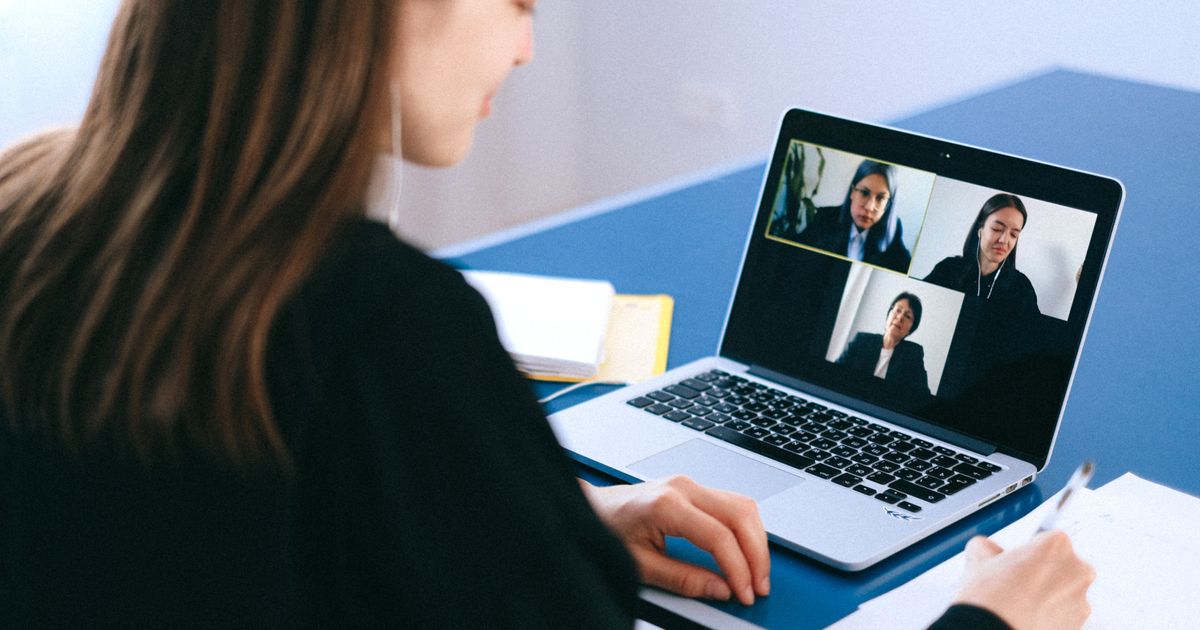
An interviewer sitting across a table picks up dozens of small cues without trying — posture, tone, how you react to an unexpected question, the brief moment you take to compose an answer. A video call strips most of that away, so interviewers unconsciously lean harder on the things that remain: how clearly you speak, how composed you look on screen, and whether your setup itself suggests you take the process seriously. None of this replaces a good answer, but a poor setup can quietly undercut a good one before you’ve said a word — and conversely, a candidate who looks composed and prepared on camera often gets a small, unspoken benefit of the doubt during the technical parts of the conversation.
Getting Your Setup Right, Once
| What to Check | Why It Matters |
|---|---|
| Internet connection (wired if possible) | A dropped call mid-answer is far worse than a slightly delayed start |
| Camera at eye level | A laptop propped low forces an unflattering upward angle and looks careless |
| Light facing you, not behind you | Backlighting from a window turns you into a silhouette |
| Plain, tidy background | A cluttered or overly personal background distracts from your answers |
| Headphones with a mic | Reduces echo and background noise more than any laptop mic |
None of this needs to be elaborate or expensive. A blank wall, a desk lamp facing you instead of a window behind you, and a phone hotspot as backup internet solve almost every common problem freshers run into. Test the full setup — camera, mic, and platform (Zoom, Google Meet, Teams, or whatever the recruiter specifies) — at least once before the actual call, not five minutes before it starts. If you don’t own a laptop with a good camera, many phones have better cameras than budget laptops; propping a phone at eye level on a small stand is a perfectly acceptable workaround.
What to Wear and How to Sit
Dress the same way you would for an in-person interview at that company, from the waist up at minimum — plain, collared, and neutral-toned clothing reads better on camera than busy patterns, which can visually distort on lower-quality video compression. Sit upright rather than reclining into a chair; posture reads clearly even through a small video window, and slouching can unintentionally signal disengagement. Keep both hands visible and use them naturally when you talk — completely still hands can come across as stiff, while hands that disappear off-frame can look evasive on a small screen.
The Small Talk Actually Matters
In an office, the walk from reception to the interview room gives everyone a minute to settle in. On a video call, that buffer disappears — you’re often thrown straight into the first real question within seconds of the call connecting. Treat the first minute deliberately: greet the interviewer by name, confirm they can hear and see you clearly, and let a short, natural exchange happen before diving into formal answers. It signals composure more than people expect, and it also buys you a few seconds to settle your own nerves before the substantive questions start.
Handling Technical Glitches Without Losing Your Composure
Connections drop. Audio cuts out mid-sentence. Screens freeze at the worst possible moment. Interviewers have seen this happen dozens of times and rarely hold it against a candidate — what they do notice is how you handle it. If your connection breaks, message the interviewer through chat, email, or even a phone call immediately, rejoin as quickly as possible, and briefly summarize where you left off rather than assuming they heard everything. Staying calm through a glitch reads as far more professional than pretending it didn’t happen or, worse, going silent and hoping it resolves itself.

Answering Questions on Camera
Video calls tend to compress pauses — a natural two-second pause to think can feel like dead air in a way it never would in person. It helps to explicitly buy yourself thinking time out loud: “Let me think through that for a second” reads as composed, while silence alone can feel like you’ve frozen or lost connection. Look at the camera lens periodically rather than only at the interviewer’s face on your screen — it’s a small adjustment that reads as eye contact on their end, even though it feels slightly unnatural to you while you’re doing it. Practicing this once on a recorded call with a friend, even briefly, makes a noticeable difference on the real one.
Common Mistakes Freshers Make on Remote Interviews
A few patterns show up repeatedly and are worth actively avoiding. Interviewing from a shared or noisy space — a hostel common room, a busy café, or a spot with family members walking through frame — is one of the most common and most avoidable mistakes; find a quiet, private corner even if it means asking a roommate for thirty uninterrupted minutes. Reading answers directly off a second screen is another: interviewers can usually tell from eye movement, and it undercuts the very independence and communication skills remote roles are screening for. Finally, treating the call casually because it’s “just video” — joining without testing anything, in casual home clothing, from a messy room — sends a signal about how seriously you’d approach the actual job.
Questions Remote Interviewers Ask More Often
Beyond the standard technical and behavioral questions, remote roles usually add a specific layer: can you actually work independently without supervision? Expect direct questions about your home working environment, your typical daily schedule, how you’d handle a period without clear direction from a manager, and how you stay accountable when no one is physically checking on you. Vague answers here stand out — be specific about your routine, your communication habits, and one concrete example of a time you delivered independently without close oversight, even if that example comes from a college project or a freelance gig rather than formal work experience.
Time Zones and International Remote Roles
If you’re interviewing for a role tied to a US, European, or other international team, expect the interview itself to be scheduled at an unusual hour for you — and expect a direct question about your comfort with recurring odd-hour meetings once hired. Answer this honestly rather than simply agreeing to anything; a mismatch discovered three months into the job is worse for everyone than a candid conversation about overlap hours during the interview. If you’ve already managed a time-zone-shifted schedule before, even briefly, mention it specifically — it’s genuinely reassuring to a hiring manager who has seen this arrangement fail for other new hires.
What to Do in the Final Minutes
When asked “do you have any questions for us,” resist the urge to say no. A genuinely useful question for a remote role is one that shows you’ve thought about the practical side of working there: how the team handles day-to-day communication, what the onboarding process looks like for someone joining remotely, or how performance is actually measured when work happens off-site. These questions demonstrate you’re thinking seriously about doing the job well, not just getting through the interview.
Following Up After the Call
A short thank-you email within a day of the interview is worth sending regardless of format, but for remote roles it does something extra: it’s a small, low-stakes demonstration of the same written communication skill the role will depend on daily. Keep it brief — thank them for their time, reference one specific point from the conversation, and reconfirm your interest. Avoid over-explaining an answer you think went poorly; a graceful, concise follow-up leaves a better impression than a lengthy attempt to relitigate the interview.

Before Your Interview
- Test your camera, mic, and internet at the exact time of day your interview is scheduled, not just once earlier.
- Keep a notepad and a glass of water within reach, out of camera frame.
- Have your resume and the job description open on a second screen or printed nearby, so you’re not scrambling mid-call.
- Log in five minutes early — joining exactly on time can still register as late once the platform’s loading delay is factored in.
- Silence your phone and close unrelated tabs and notifications before the call starts.